Track expenses by voice, receipts, and AI.
Pelza helps you record spending with voice, text, receipts, and handwritten bills without connecting your bank.
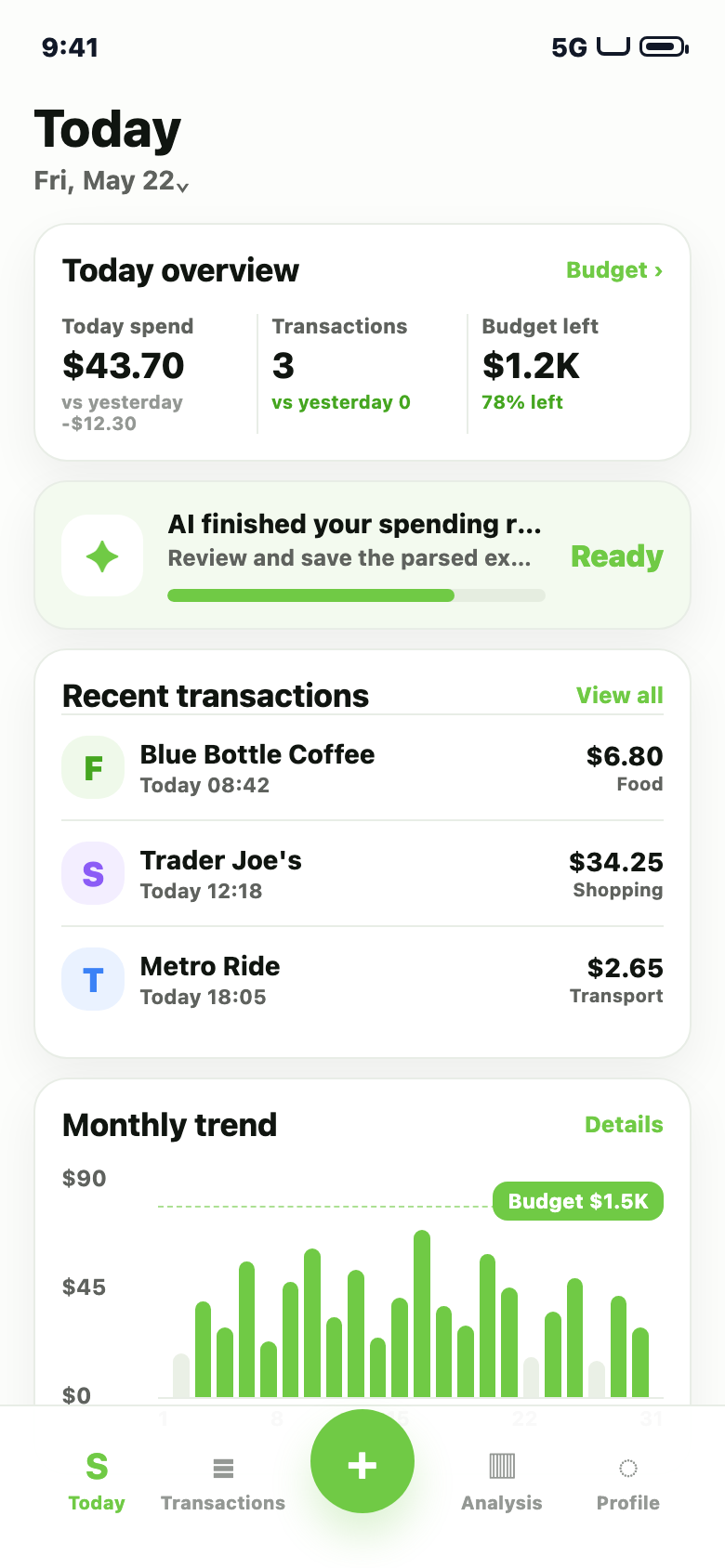
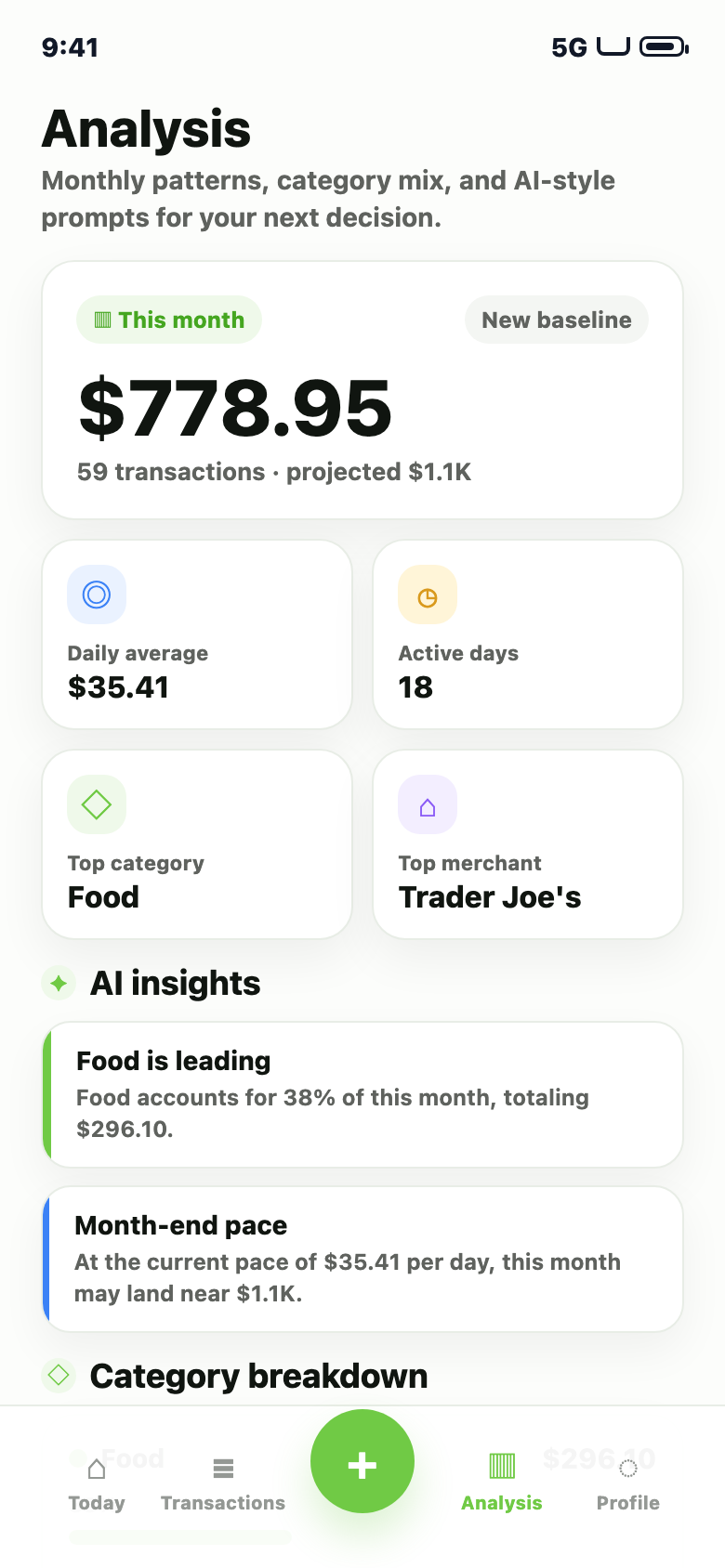
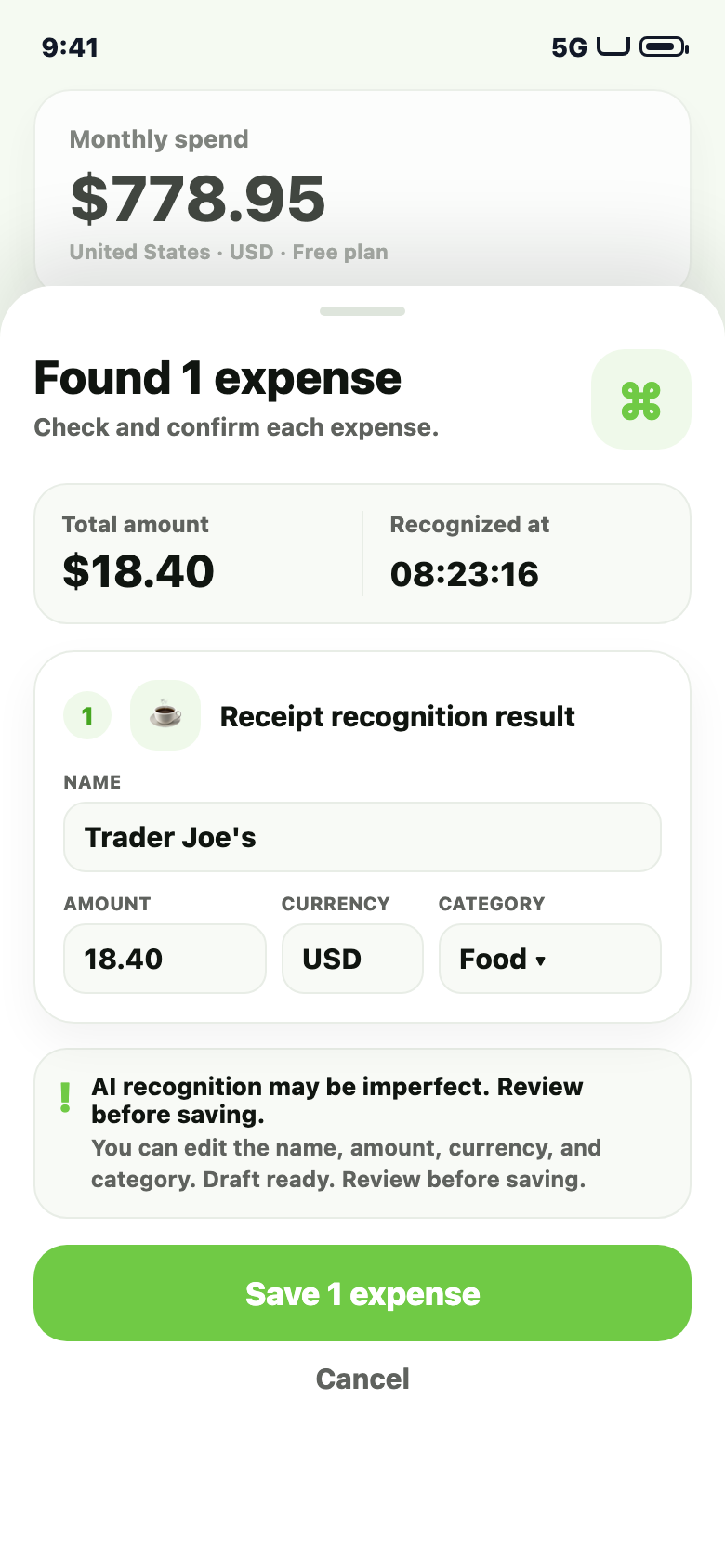
Fast ways to record spending.
Speak, type, scan a receipt, or capture a handwritten bill. Pelza creates editable expense drafts first.
How it works.
Pelza uses a review-first workflow: AI extracts details, and you confirm them before anything is saved.
Private by design.
Your records stay on your device by default. Cloud backup is optional, and you can delete local data or your account anytime.
Simple pricing.
Start free. Upgrade when you want more recognition quota, batch import, export, monthly analysis, and cloud backup.
Perfect for getting started.
- ✓30 AI recognitions per month
- ✓Single receipt or bill recognition
- ✓Local ledger and basic analysis
More power for serious tracking.
or US$39.99 / year
- ✓1,000 AI recognitions per month
- ✓Import up to 10 images at once
- ✓Complex receipts and handwritten bills
- ✓Export reports
- ✓Monthly analysis
- ✓Cloud backup
Subscriptions are managed by Apple. Introductory offers appear only when available and eligible in the App Store.
FAQ.
Short answers for privacy, AI recognition, subscriptions, and account deletion.
No. Pelza does not require bank login or bank account connection.
Records stay on your device by default. If you use AI recognition or cloud features, selected content and related metadata may be processed by Pelza and relevant third-party service providers.
Yes. Always review the amount, date, currency, merchant, and category before saving.
Open Profile > Account settings > Delete account. Local-only deletion is Profile > Privacy & security > Delete local data.
Cancel from Apple subscriptions in iOS Settings or the App Store account page.
Open Profile > Plan management, then tap Purchased already? Restore while signed in.